

File size: 4,706 Bytes
b3ef89d |
1 2 3 4 5 6 7 8 9 10 11 12 13 14 15 16 17 18 19 20 21 22 23 24 25 26 27 28 29 30 31 32 33 34 35 36 37 38 39 40 41 42 43 44 45 46 47 48 49 50 51 52 53 54 55 56 57 58 59 60 61 62 63 64 65 66 67 68 69 70 71 72 73 74 75 76 77 78 79 80 81 82 83 84 85 86 87 |
# Themes
Version 1.7 brings basic support for themes, and 1.9 extends it to include keyboard shortcuts and support for multiple theme files.
## Creating and editing themes
* Look at the `Theme` class in [`katrain/gui/theme.py`](https://github.com/sanderland/katrain/blob/master/katrain/gui/theme.py).
* Make a `theme<yourthemename>.json` file in your `<home dir>/.katrain` directory and specify any variables from the above class you want to override, e.g.
```json
{
"BACKGROUND_COLOR": [1,0,0,1],
"KEY_STOP_ANALYSIS": "f10",
"MISTAKE_SOUNDS": ["jeff.wav","what.wav"]
}
```
* All resources (including icons, which can not be renamed for now) will be looked up in `<home dir>/.katrain` first, so files with identical names there can be used to override sounds and images.
* If variables are specified in multiple theme files, the *latest* alphabetically takes precedence. That is, each later theme file overwrites the settings from any previous one.
## Expected territory options
* KaTrain supports different styles of display of expected territory:
* Blended style colors the board with an intensity proportional to the likelihood of a player controlling that territory at the end of the game.
* Shaded style behaves the same as Blended, but uses square shades similar to
the Katago paper.
* In the Marks style, each point of the board is marked with a square of size which is proportional to ownership likelihood.
* The Blocks style divides the whole board into black, white, and neutral territory, based on a likelihood threshold. This style is appropriate as a counting aid, but may be misleading before endgame if much of the territory is unsettled.
* Marks can also appear on stones to indicate the likelihood of these stones living at the end of the game. Three styles are supported:
* All stones can be marked, with the color of the mark indicating the expected ownership and the size of the mark indicating certainty.
* Weak stones only - marks will appear only on stones which are over 50% likely to die before the end of the game.
* No stone marks.
* Stones can also be made transparent based on their strength.
| <img src="./themes/blended-all.png" width="400"/> <br> Blended style, all stones marked| <img src="./themes/shaded-all.png" width="400"/> <br> Shaded style, all stones marked |
| --- | ---|
| <img src="./themes/blocks-none.png" width="400"/> <br> Territory blocks, no stones marked | <img src="./themes/blended-weak.png" width="400"/> <br> Blended territory, weak stones marked |
| <img src="./themes/marks-weak.png" width="400"/> <br> Marks on intersections, weak stones marked | <img src="./themes/shaded-no-alpha.png" width="400"/> <br> Shaded, no stone alpha |
<sup>The game used in the screenshots is [Albert Yen vs. Eric Yoder](https://www.usgo.org/news/2022/03/members-edition-midwest-open-round-2-the-broken-ladder-game).</sup>
The stone marks, transparency, and territory style are independent; the table above presents a collection of possible variants.
The relevant variables are:
```
TERRITORY_DISPLAY = "blended" | "shaded" | "marks" | "blocks"
STONE_MARKS = "all" | "weak" | "none"
OWNERSHIP_COLORS = {"B": [0.0, 0.0, 0.10, 0.75], "W": [0.92, 0.92, 1.0, 0.800]}
BLOCKS_THRESHOLD = 0.6
MARK_SIZE = 0.42 # as fraction of stone size
STONE_MIN_ALPHA = 0.5
```
The colors are specified as RGB values and a maximum alpha transparency.
## Installation
* To install a theme, simply unzip the theme.zip to your .katrain folder.
* On Windows you can find it in C:\Users\you\\.katrain and on linux in ~/.katrain.
* When in doubt, the general settings dialog will also show the location.
* To uninstall a theme, remove theme.json and all relevant images from that folder.
## Available themes
### Alternate board/stones theme by "koast"
[Download](https://github.com/sanderland/katrain/blob/master/themes/koast-theme.zip)
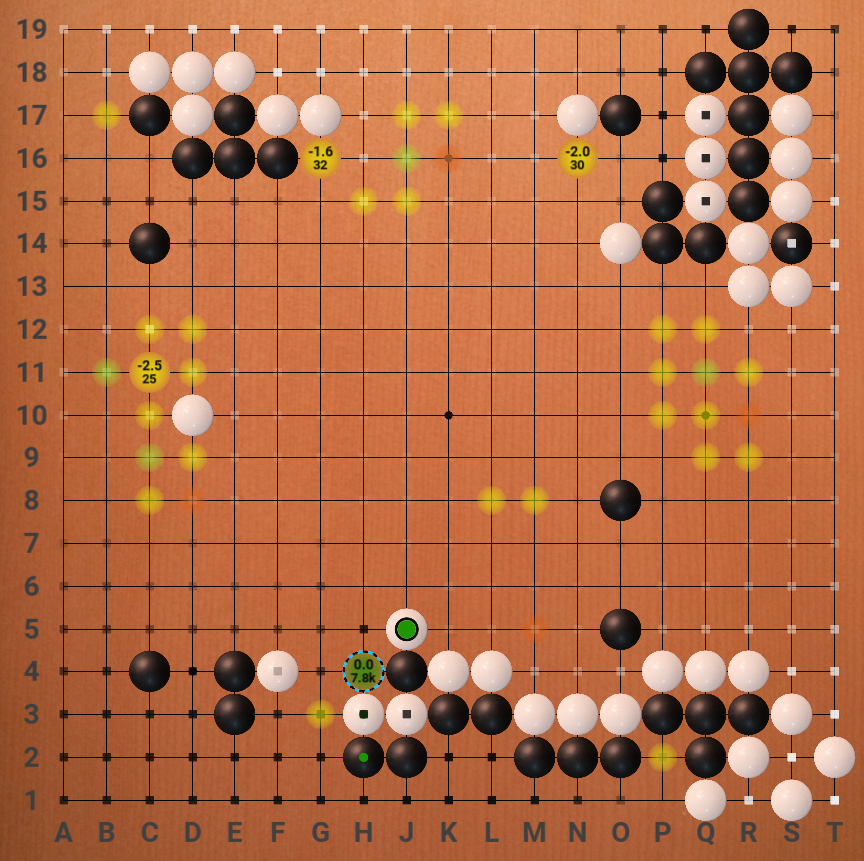
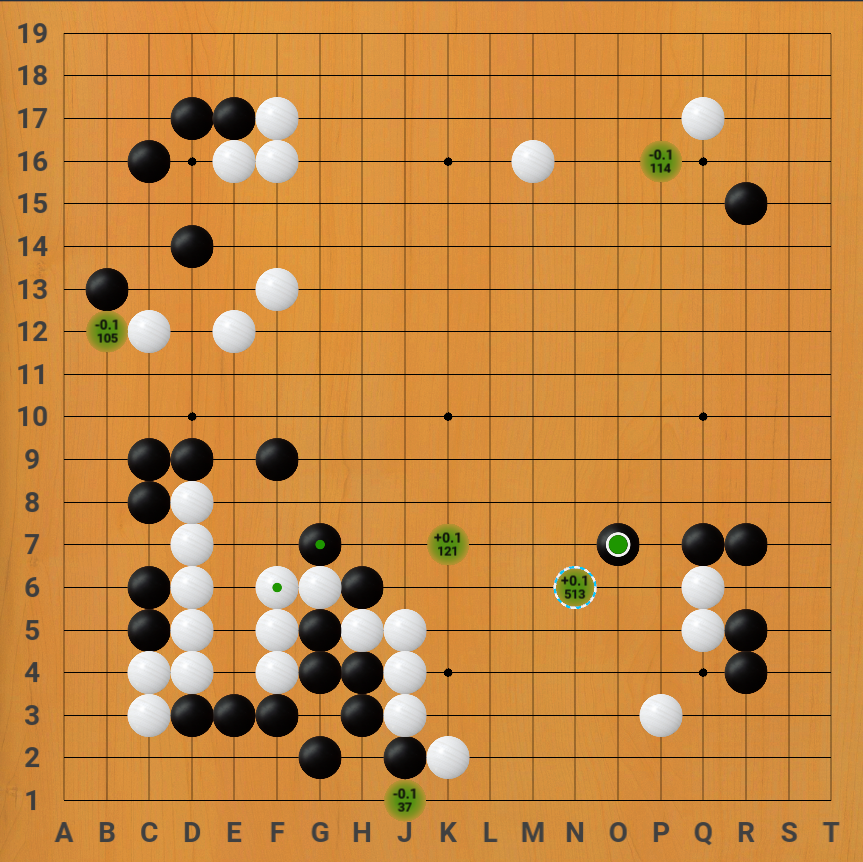
### Lizzie-like theme
* Theme created by Eric W, includes modified board, stones
* Images taken from [Lizzie](https://github.com/featurecat/lizzie/) by featurecat and contributors.
* Hides hints for low visit/uncertain moves instead of showing small dots.
[Download](https://github.com/sanderland/katrain/blob/master/themes/eric-lizzie-look.zip)
### Jeff sounds
* This theme makes Jeff comment `Ahhh?` and `What?!` when you make mistakes.
* Sounds provided by Mikkgo.
[Download](https://github.com/sanderland/katrain/blob/master/themes/jeff-sounds.zip)
|